 AlignCueRestaurant BETA
Menu and operations · integrated foundation
Floor, kitchen, bar and checkout
Menu orders reach the floor, kitchen and bar as part of the AlignCue foundation.
Orders keep table, product, options and station context through service and bill closure.
What it solves
Operations
- 01Rounds per guest from separate phones
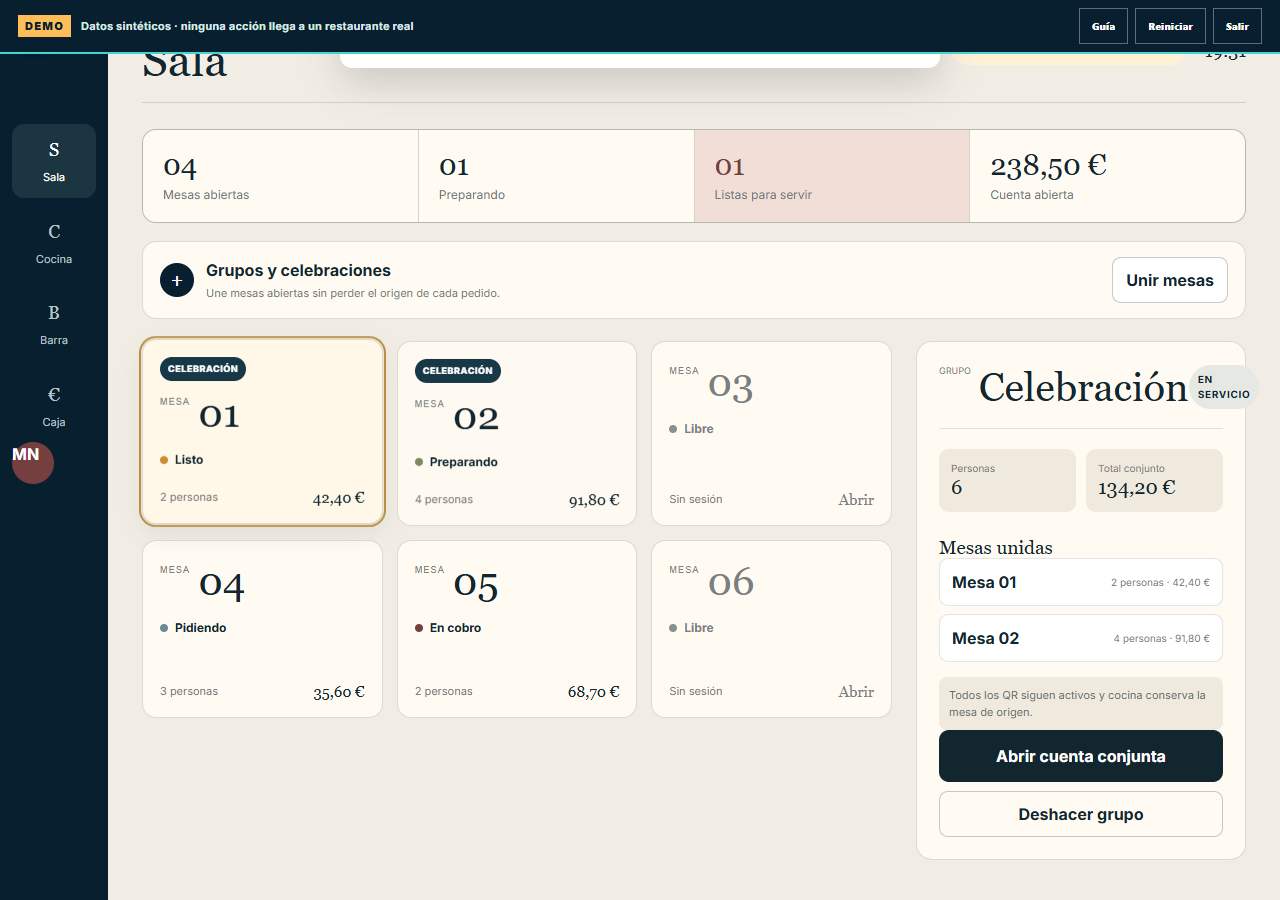
- 02Open and group tables
- 03Visible kitchen and bar queues: waiting, preparing and ready
- 04Maximum queue and preparation portion limits configurable per restaurant and station
- 05Manual release or automatic release every 2, 3 or 5 minutes within capacity; pause and authorised priority
- 06When a required queue is full, the guest is notified and keeps the basket; no delivery time is promised
- 07Preparation and service tracking
- 08Bill splitting and operational payment
- 09Configurable receipt output language
A complete service
Before, during and after every visit.
From reservations to pickup, from today's offer to guest benefits: every function keeps the restaurant connected.
Your restaurant, connected in the cloud
Menu, Control and Operations share the same restaurant information. Management receives activity through its connector.
A menu that reflects service
Mark dishes, variants or extras as sold out and reactivate them when available. Menu and Marco show the available offer; if it changes before confirmation, guests keep their basket.
Hours and portions under control
Set ordering hours for dishes or categories, date exceptions and service portions. Each confirmed order consumes its quota.
Attention at every stage of service
Track waiting, preparation and ready dishes with station alerts and optional sound. Guests request help or the bill from their table and floor staff handle the request.
The whole service in one view
See open tables, balances, queues, portions, timings and cancellations by period. Management connects net sales, discounts and reviewed recipe costs.
A guest account, when wanted
Book or order pickup as a guest. An optional account with an email link identifies your bill or share and gives access to restaurant benefits.
Meaningful coupons and points
Create coupons with dates and limits, and reward net paid spending with points. Guests use one coupon or reward before the first payment; amounts reconcile with their share and reports.
Reservations coordinated with floor staff
Guests request a date, time and party size. Staff assign and confirm tables without overlaps; guests manage reservations through a private link and arrival opens the visit.
Pickup prepared at the right time
Guests choose a slot with capacity and follow the order through a private link. The kitchen receives preparation at the configured lead time; checkout records payment and staff confirm collection.
Mobile payment through the restaurant's POS
Guests pay the bill or their share on a phone through the restaurant's contracted virtual POS. The bank result is reconciled with the bill and payments.
Integrated flow
How it connects
It receives the published menu and sends confirmed activity to Management when the connector is enabled.Keep exploring
Open only the function you want to understand.
Access on request